








How to Secure Multiple Business Locations
Last updated July 30, 2026
Managing security across multiple business locations is often treated like a scaling problem. In reality, it is usually a consistency problem. Different routines, disconnected systems, and site-by-site management can quickly create extra work as businesses grow.
The most effective multi-location security platforms bring security, access control, video, and automation into one connected system. That gives business owners and facility managers centralized visibility, remote control, and more consistent oversight across every location.
Below, we break down what matters most when managing security at scale and the capabilities that can help simplify day-to-day operations.
1. Standardize opening and closing across locations
Opening and closing procedures are one of the first things that become harder to manage as businesses add locations. Different staff, changing schedules, and inconsistent routines can all create gaps in security and daily operations.
A connected platform helps standardize these workflows across sites by allowing teams to:
- Arm or disarm locations remotely
- Apply schedules across multiple locations
- Automate tasks like locking doors or arming systems at closing
- Reduce missed steps when staffing or store hours change
This is especially valuable for businesses managing multiple shifts, frequent staff turnover, or regional oversight across several locations.
2. Keep access organized as you grow
Access management gets messy quickly when businesses rely on keys, shared codes, or separate systems at each location. A single employee role change can turn into multiple manual updates across sites.
With centralized access control, permissions can be managed from one platform instead of location by location. Businesses can issue temporary vendor access, update employee permissions instantly, and remove credentials without replacing hardware or coordinating with individual sites.
This makes it easier to maintain consistent access policies as teams grow, locations expand, and day-to-day staffing changes become more frequent.
3. Spot issues earlier with smarter alerts
As businesses add locations, it becomes harder to keep track of what needs attention and what doesn't. Generic notifications can quickly turn into background noise, especially when managers are overseeing multiple sites.
More useful alerts focus on activity that may actually require follow-up, such as:
- Late openings or missed closings
- Doors left open after hours
- Entry into restricted areas
- Unexpected activity at a specific location
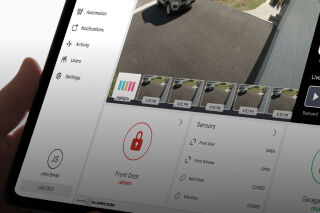
When alerts are connected to live system activity and video, managers can quickly verify what happened without relying on calls or manual check-ins. During an alarm event, integrated workflows can also bring together recent clips, live feeds, and system activity in one place to support faster assessment.
4. Use video to verify activity across locations
For multi-location businesses, video is most valuable when it helps teams understand a situation quickly instead of forcing them to sort through footage after the fact.
Connected video systems make it easier to check in on locations remotely, review activity tied to alarms or door events, monitor key areas across multiple sites, and find relevant footage without manually searching long timelines. Instead of relying on phone calls or site-by-site updates, managers can use connected video to confirm activity directly and maintain better visibility across the business.
5. Unified multi-location security vs. separate site systems
Managing one location is very different from managing five, twenty, or more. Systems that work independently at each site often create extra administrative work and make it harder to maintain consistent security procedures as the business grows.
Feature | Unified Multi-Location Platform | Separate or Non-Unified Systems |
Location management | Centralized oversight across sites | Managed location by location |
Access control | Credentials and permissions managed in one place | Changes handled separately at each site |
Alerts | Consistent alerts and workflows across locations | Varies by system or site |
Video review | Video tied to alarms and system activity | Manual review of footage |
Scaling | Easier to apply standards to new locations | More setup and inconsistency as sites grow |
For businesses managing multiple locations, unified platforms can simplify day-to-day operations while providing more consistent visibility and control across every site.
Simplify your security today
As businesses grow, managing security across multiple locations can quickly become more time-consuming and difficult to coordinate. Separate systems, inconsistent workflows, and site-by-site management often create unnecessary work for business owners, managers, and facilities teams.
A connected platform helps simplify operations by bringing key functions into one system, including:
- Security and intrusion detection
- Access control and employee permissions
- Video surveillance and event verification
- Alerts, automation, and daily workflows
With centralized visibility and professional support, businesses can manage locations more consistently while reducing manual oversight as they scale. If you are evaluating solutions for your business, a local security provider can help design a system that fits your locations, workflows, and long-term growth plans.